Progressive Web App · zero dependencies

Build your own materia medica & repertory.

A precise, tool-like workbench for the practitioner who writes their own book — remedies, symptoms, rubrics and grades defined and edited by hand, kept entirely on your device, and exported in whatever shape you need.

Free & fully offline — nothing to install. The Android .apk is sideload-only (allow installs from unknown sources).


Works fully offline No account, no tracking 8 export formats
GitHub stars Last commit Repo size Licence
Offline-first Zero dependencies Vanilla JavaScript Installable PWA Local IndexedDB 8 export formats
workbench · content in → structured out
01RemedyAcon · Aconitum napellus
02SymptomMind · fear · grade 3
03RubricAnxiety, about health
04Graded remedy linkAcon (3) · polarity +
Exports
JSON backup JSON · OMM v1.1 CSV XLSX PDF book HTML SQL SQLite
What it does

A complete kit for building the book yourself

Six working surfaces, one local database. Nothing is templated for you — every remedy, rubric and grade is yours to define.

Materia Medica

Remedies with name, abbreviation, common name, kingdom, family, source and notes. Add any number of symptoms to each, with a chapter, grade and modalities.

nameabbrevkingdomfamilymodalities

Repertory

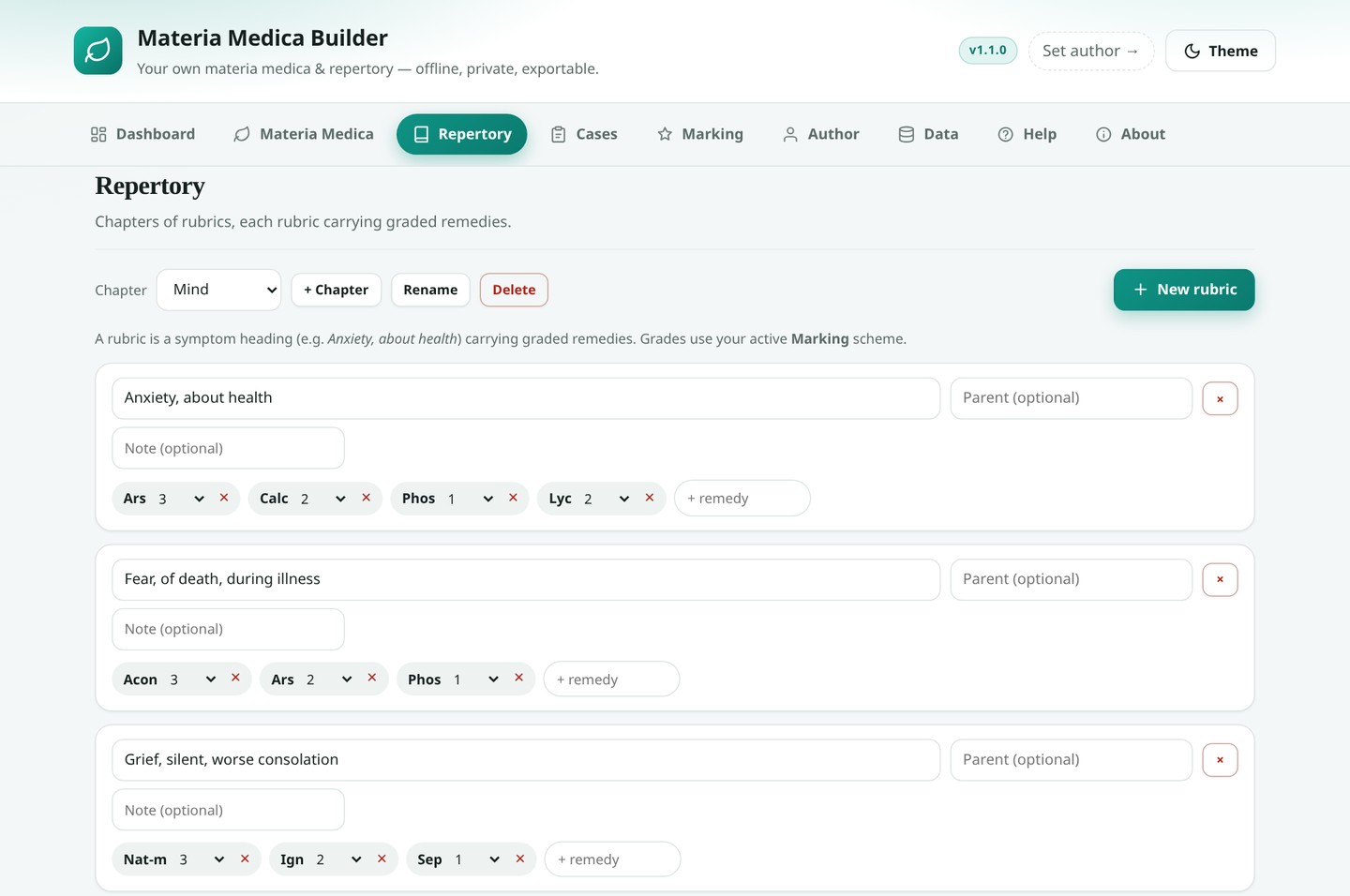
Chapters (Mind, Head, Stomach…) hold rubrics; rubrics hold graded remedies. Each rubric supports a parent heading and a note, so Morning under Sweat of the feet reads correctly.

chapterrubricparentgradepolarity

Your marking scale

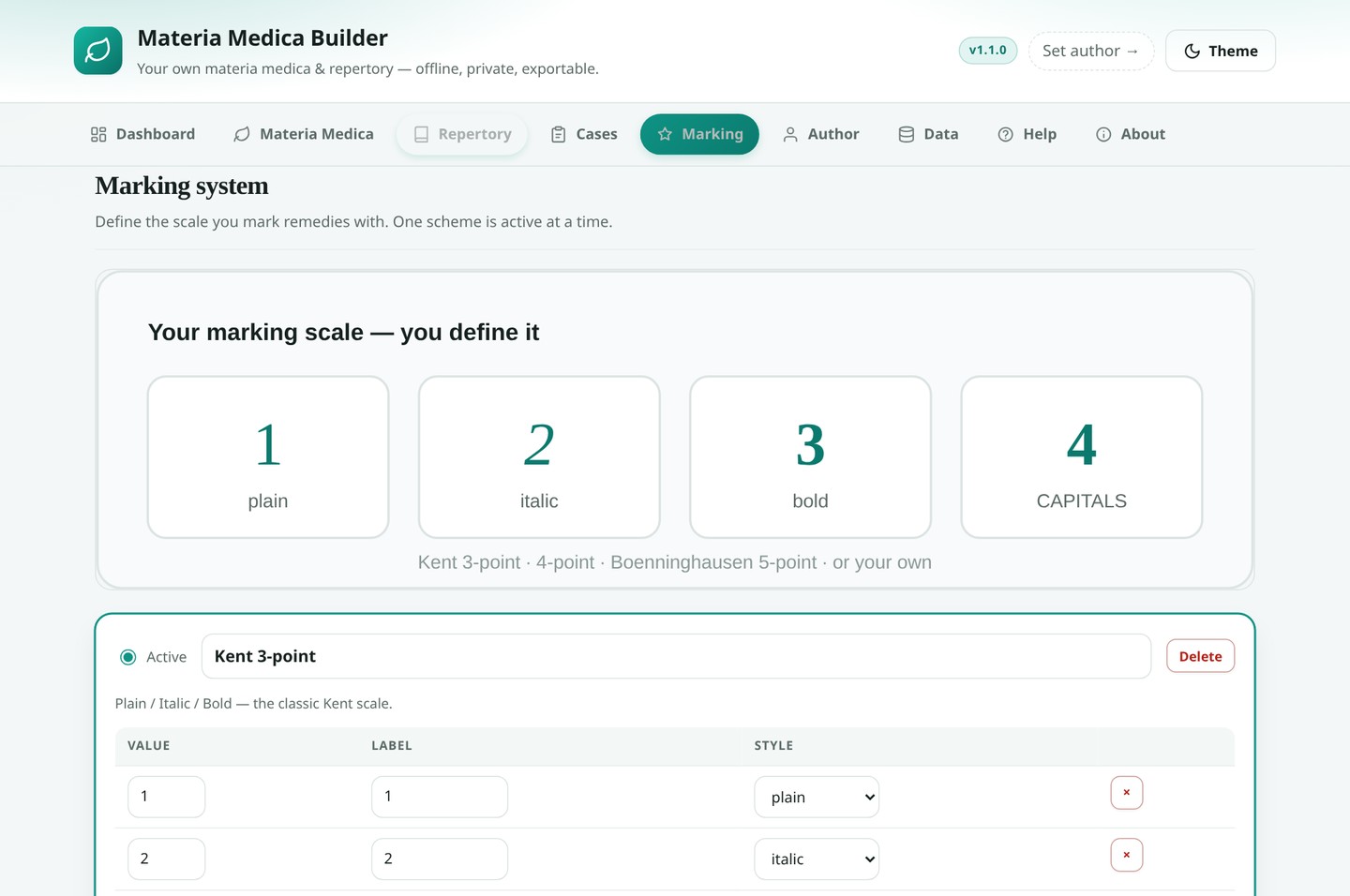
Four schemes ship in — Kent 3-point, 4-point with capitals, Boenninghausen 5-point and Simple 0–2 — or define your own: any number of levels, each with a label and a typographic style.

plainitalicboldcapitalssuperscript

Author & branding

Your name, credentials, clinic, email, website, book title, edition, year, copyright line and licence — stamped into every PDF, HTML file and workbook you export.

authorbook titlecopyright

Private case log

A private case logger: record a case and track the outcome across Cured, Improved, No Change, Aggravated and Suppressed — then review the history.

outcomepotencyfollow-up

Help built in

The full how-to guide lives inside the app, alongside a first-run spotlight tour you can replay any time and a print-to-PDF of the guide itself.

guidetourprint-to-PDF
How it works

Four moves from a blank page to a finished book

The same guide is built into the app — open the Help tab, or press Take the tour.

Step 01

Add remedies

Open Materia Medica and add your first remedy — or edit the three starters. Give it a short abbreviation like Acon or Nat-m; that is what the repertory displays.

Step 02

Write symptoms

Attach symptoms to a remedy: pick a chapter, write the symptom, set a grade. Modalities carry a direction and text.

Step 03

Build rubrics

Add a chapter, then rubrics inside it. Type a remedy abbreviation and press Enter to attach it, then choose its grade.

Step 04

Fill in & export

Complete your Author details, then open Data and export your book as JSON, CSV, Excel, PDF, HTML, SQL or SQLite.

A look around

See the workbench

Every screen below is the real app. Open the live demo — it runs entirely in your browser, no sign-in.
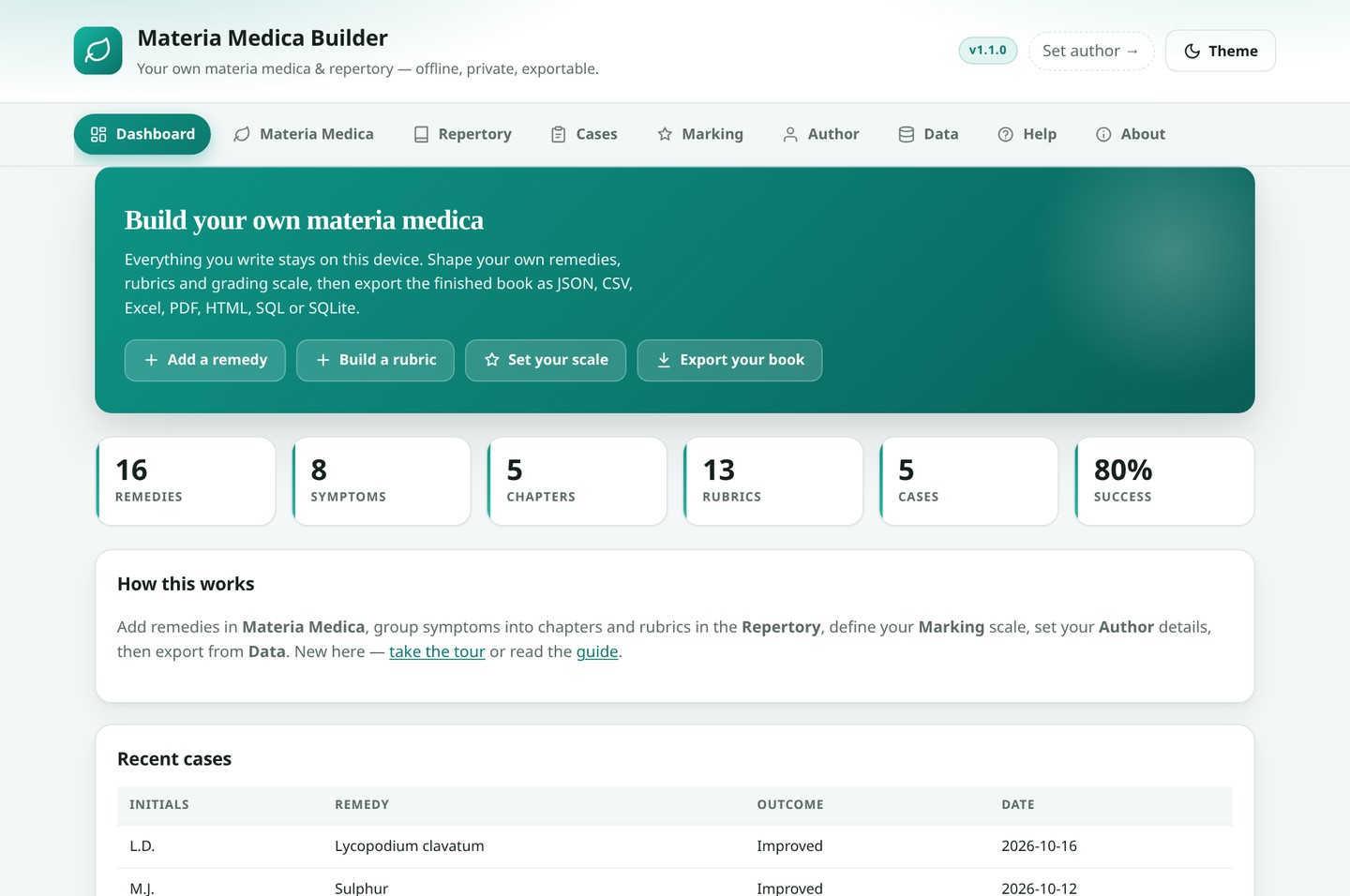
Materia Medica Builder dashboard
DashboardYour project at a glance — remedies, rubrics and cases.
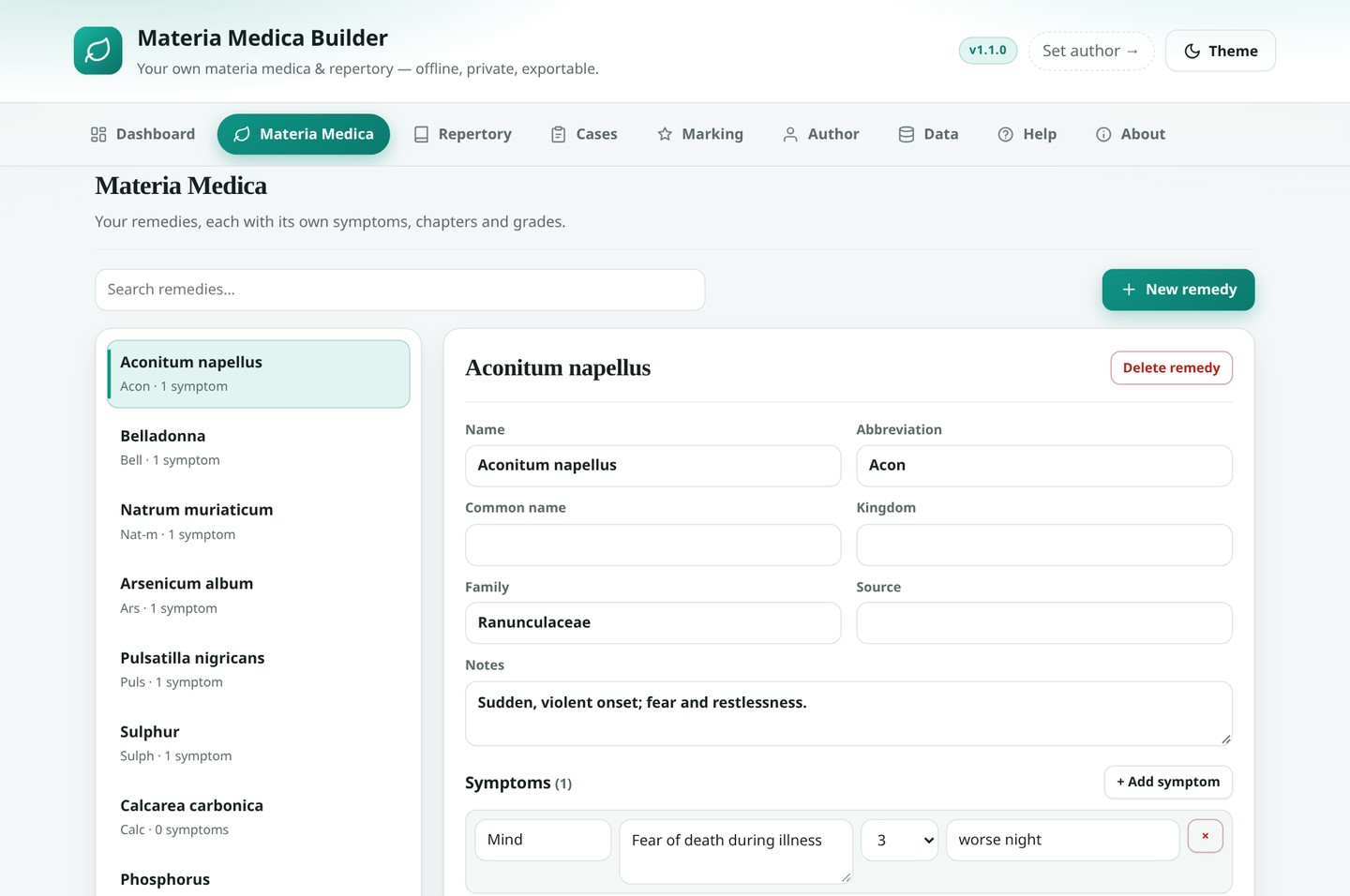
Materia Medica tab with remedies and symptoms
Materia MedicaRemedies, symptoms, chapters and grades.
Repertory tab with rubrics carrying graded remedies
RepertoryRubrics carrying graded remedies.
Marking tab with a custom grading scale
MarkingDefine your own grading scale.
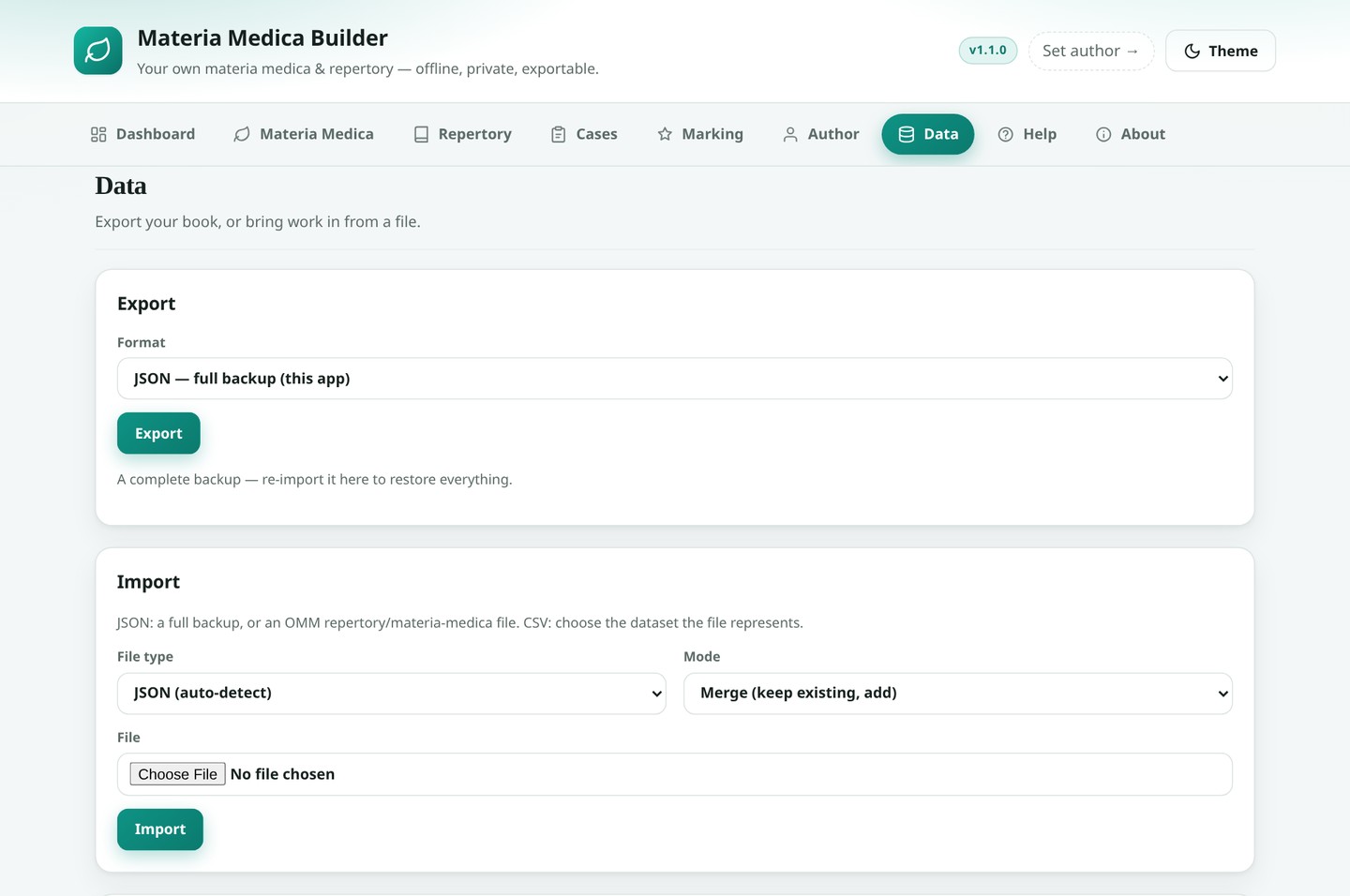
Data tab with export and import options
DataExport and import in eight formats.
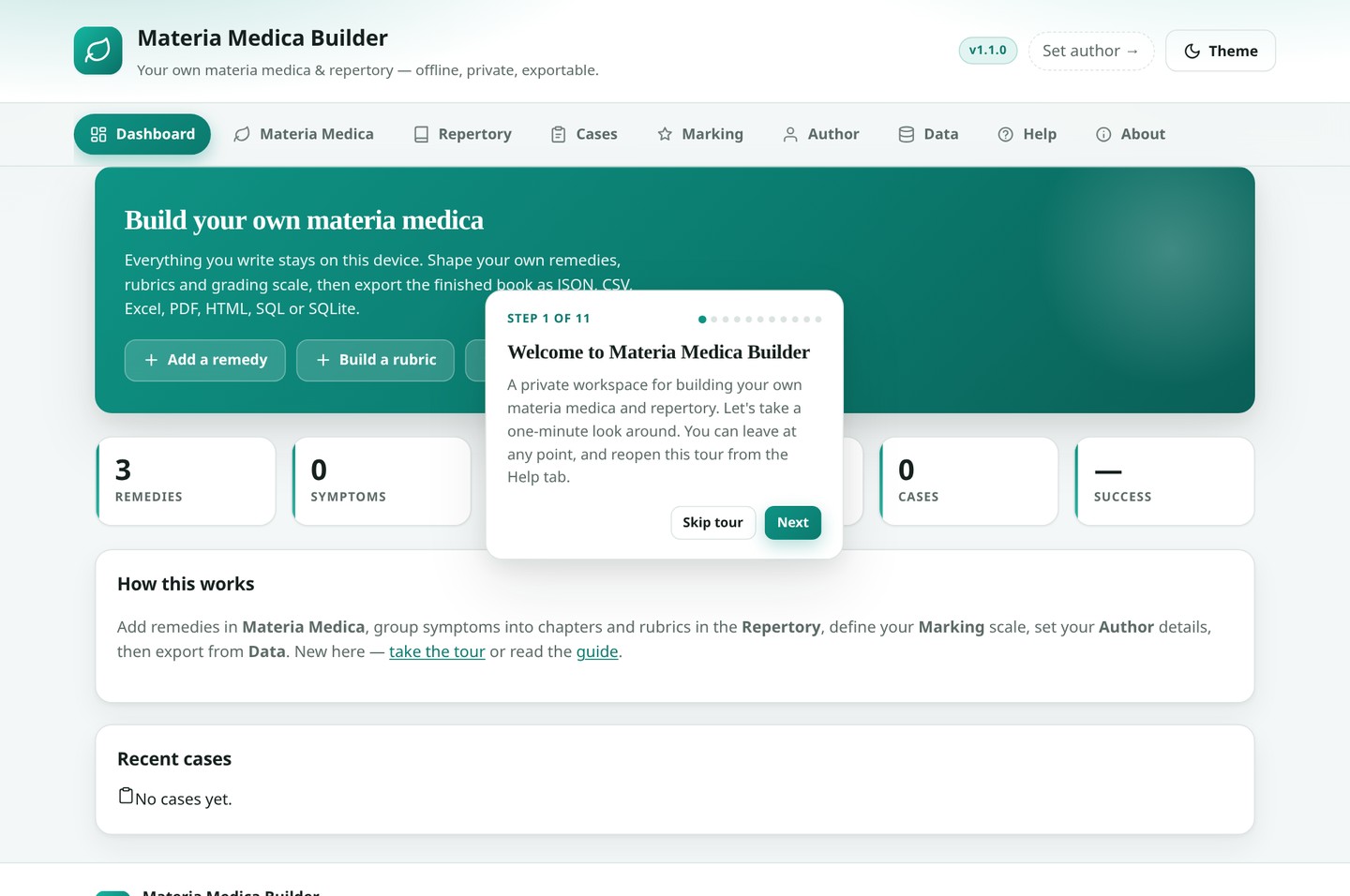
First-run guided tour
First-run tourA guided walk through the app.
Export & import

Your book, in whatever shape you need

The .xlsx, .pdf and .sqlite files are generated byte-by-byte in JavaScript — no library from a CDN, and no network connection required.

  • JSON — full backup. Everything, re-importable here to restore the project.
  • JSON — OMM. Repertory and/or materia medica in the reader-app schema (v1.1).
  • CSV. All datasets as a zip, or one dataset at a time.
  • Excel (.xlsx). A workbook: Info, Remedies, Symptoms, Repertory, Cases, Marking.
  • PDF. A printable book with your author block and copyright.
  • HTML. A self-contained, styled document you can open or host.
  • SQL (.sql). Portable INSERT statements for SQLite, Postgres or MySQL.
  • SQLite (.sqlite). A real database file — meta, remedy, symptom, rubric, remedy_link, case_log.
importers.js

Import accepts a full JSON backup, an OMM repertory or materia-medica file, or CSV — with Merge or Replace mode.

omm schema · v1.1
{ "schema_version": "1.1", "type": "repertory", "book": { /* provenance */ }, "sections": [ { "rubrics": [ { "remedy_table": [] } ] } ] }
Get started

Open it, or run it yourself

There is no build step and nothing to install. The app is plain HTML, CSS and JavaScript, and the service worker takes it offline automatically.

Run it locally

# clone, then serve the folder git clone https://github.com/drsamonline/MATERIA-MEDICA-BUILDER.git cd MATERIA-MEDICA-BUILDER python3 -m http.server 8080 # open http://localhost:8080

Deploy anywhere static — GitHub Pages, Netlify, Cloudflare Pages.

Install it as an app

  • Chrome / Edge: click the install icon in the address bar.
  • iOS Safari: Share → Add to Home Screen.
  • It then runs fully offline, and a short guided tour runs the first time you open it.
  • Export a JSON backup regularly — clearing your browser data erases the project.
FAQ

Questions, answered

Does my data ever leave my device?
No. Everything is stored locally in your browser using IndexedDB. There is no authentication, no cloud, no analytics, and no external requests after load. Your remedies, symptoms, rubrics, cases and any book you compile belong to you.
Do I need an account or an internet connection?
Neither. It is a single self-contained Progressive Web App with no server and no CDN — once loaded (or installed) it works fully offline.
What can I export?
JSON full backup, JSON in the OMM reader-app schema (v1.1), CSV (a zip of all datasets or one at a time), Excel .xlsx, a printable PDF book with your author block and copyright, self-contained HTML, portable SQL, and a real SQLite .sqlite database file.
Can I move my project to another device?
Yes — export a JSON backup here and import it on the other device. Import accepts a full JSON backup, an OMM repertory or materia-medica file, or CSV, in either Merge or Replace mode.
Can I use my own grading scale?
Yes. Four schemes ship in (Kent 3-point, 4-point with capitals, Boenninghausen 5-point, Simple 0–2), and you can press New scheme to define any number of levels, each with a label and a style — plain, italic, bold, bold-italic, capitals or superscript. Every export renders the grades accordingly.
Does it work with the OMM reader app?
Yes. The JSON exports use the same envelope the reader app reads — schema_version: "1.1", type: "repertory" or "materia_medica", a book provenance block, and sections → rubrics → remedy_table / remedies → symptoms. A repertory built here drops straight into that collection, and a book extracted by the OMM pipeline can be imported here for editing.
Is it really free?
Yes — it is released under a Free Use Licence (Attribution Required), © 2026 Dr Sohil Momin. You may use, copy, modify, merge, publish, distribute, sublicense and/or sell copies, provided the copyright notice and licence are included and any use clearly credits the author with a link to github.com/drsamonline. The full text is in the repository's LICENSE file.
I upgraded from v1 — will my data survive?
Yes. The app opens the same MateriaMedicaDB database at version 2 and adds the new stores; existing remedies, symptoms and cases are preserved and old symptom fields are migrated automatically.