Manifest V3 · Chrome / Edge / Firefox / Safari · MIT licensed

591 tools.
One extension.

TTB (Tiny Toolbox) gathers a large collection of small utilities — text, calculations, developer helpers, page tools, data, design, finance, media, security and accessibility — into one fast, offline-first interface, instead of a separate tab or extension for every small task. No framework, no telemetry, no remote code.


GitHub stars GitHub forks Open issues Last commit License: MIT Version
591 tools 18 categories One extension MIT licensed Chrome / Edge Firefox / Safari Zero telemetry Manifest V3 Offline-first
Catalog size
591 tools
Categories
18
Network calls
0
Framework
None — vanilla JS
01

What's in the box

One popup, one catalog, no tabs to juggle — built to be read and trusted as much as it is used.

01

591 tools, 18 categories

A real category browser — pick a category, see its count, then search within it. You don't need to know a tool's name to find it.

02

One extension, not twenty

Replace a separate tab, site or extension for every small task. Everything runs from the popup or the side panel, from a single install.

03

Offline-first, zero telemetry

There is no network layer in the extension. Nothing is fetched, phoned home, or loaded remotely — your inputs stay on your machine.

04

Rich, typed output

Text lands in a copyable box; HTML results (markdown previews, palettes, CSS generators, charts) render in a sandboxed preview; images render inline with a download link.

05

Destructive actions are gated

History, cookie and cache cleaners, duplicate-tab closing and auto-close are dry-run by default — they only act after you tick an explicit confirmation.

06

Runs across four browsers

One source tree, assembled per browser. A tool that needs an API a browser doesn't expose is disabled and says so plainly — instead of failing silently.

02

How it works

From toolbar to result in five steps. No setup, no account, no network round-trip.

STEP 01

Open TTB

Click the toolbar icon or press Alt+Shift+T. Open the side panel with Alt+Shift+K.

STEP 02

Browse or search

Filter by category on the left, or type in the search box — Ctrl+K focuses it.

STEP 03

Pick a tool

The panel shows the fields that tool needs: a main input, plus any extra values, switches or file pickers.

STEP 04

Run it

Press Run or Ctrl+Enter. Execution is imported on demand — the catalog renders even if a handler fails.

STEP 05

Use the output

Copy the result, or download it for image and file tools. Everything stays local.

Alt+Shift+T Open popup Alt+Shift+K Open side panel Ctrl+K Focus search Ctrl+Enter Run tool
02.1

The shape of the code

popup.html / sidebar.html
  ├─ data/tools.js        → globalThis.TTB_CATALOG  (591 entries)
  └─ ui/app.js            → renders the catalog, builds inputs, runs tools
       └─ (on first Run) tools/core.js  → dispatcher
            ├─ text · calc · dev · page · system · security   (core handlers)
            ├─ phase4–7 + t-*.js                              (bundled modules)
            ├─ tools/compat.js                                (namespace + capability layer)
            └─ ui/registry.js                                 (name → handler, inputs)
background.js             → context menu + keyboard commands only
build.mjs + browsers/*.json → per-browser packages (dist/chrome, edge, firefox, safari)

The catalog is separated from execution, so the tool list renders even if a handler or a privileged API fails. Tool execution is imported on demand, and tools/compat.js is the only place that knows about browser differences.

03

See it in action

Every image below was captured from the real extension UI in headless Chrome.
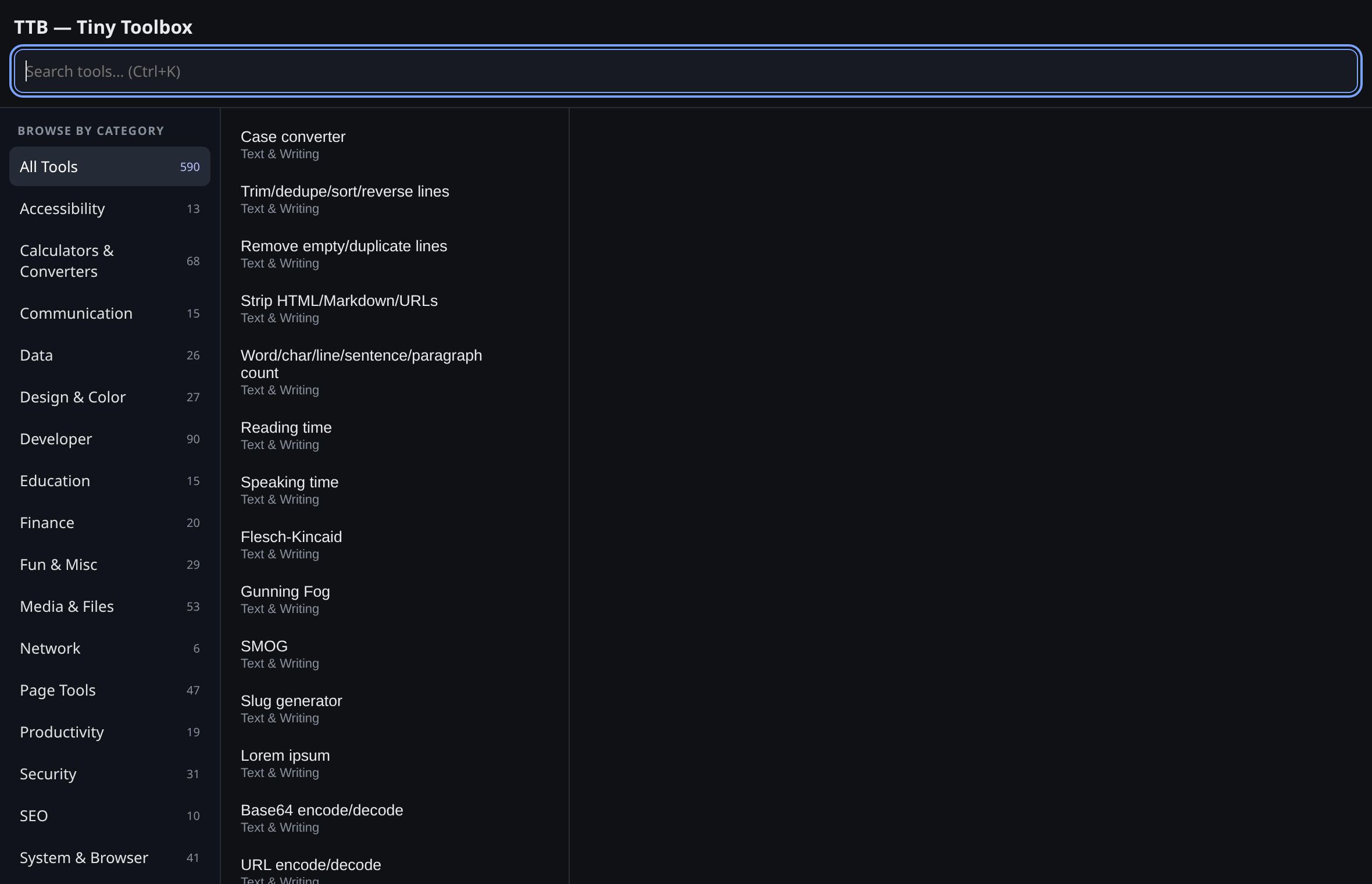
catalog
TTB catalog with the category browser open in the popup
Browse the catalog, or filter by category. 591 tools, each with its own entry.
category
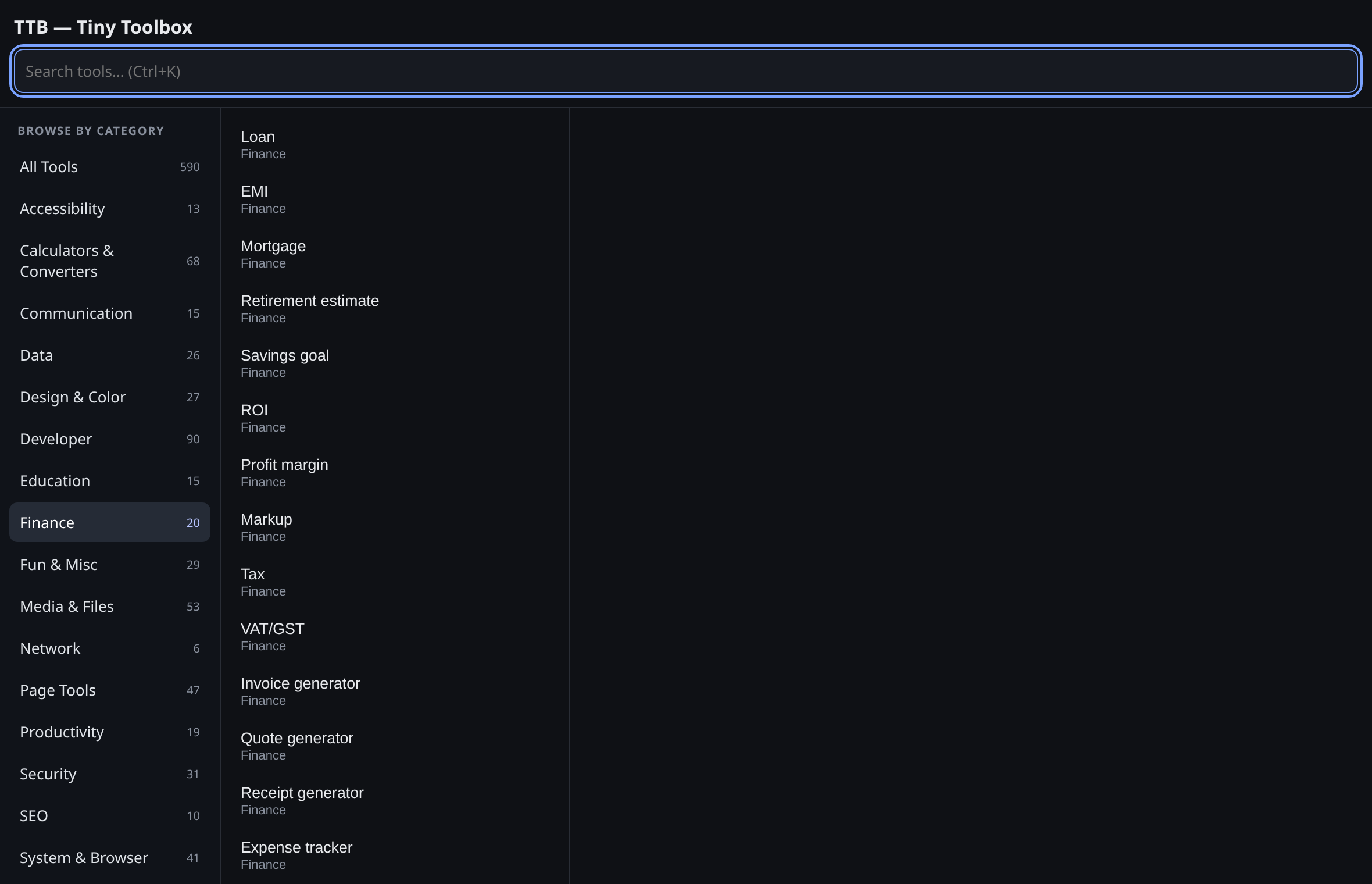
A single TTB category with its tool count and list
Category view. See a category's count, then search within it.
inputs
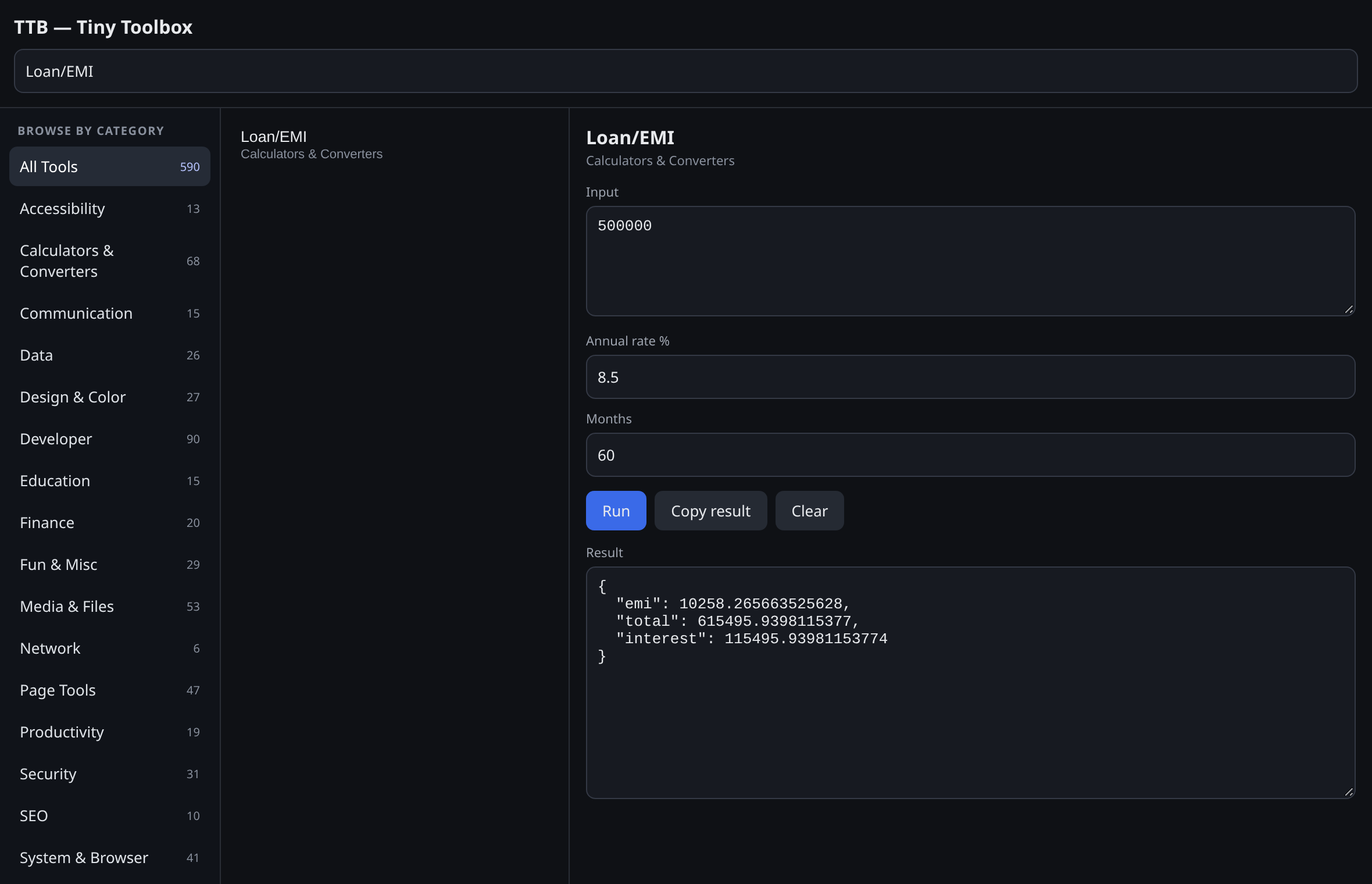
Loan/EMI tool showing its own input fields and a JSON result
Every tool renders the inputs it needs. Loan/EMI with its own fields and a JSON result.
html output
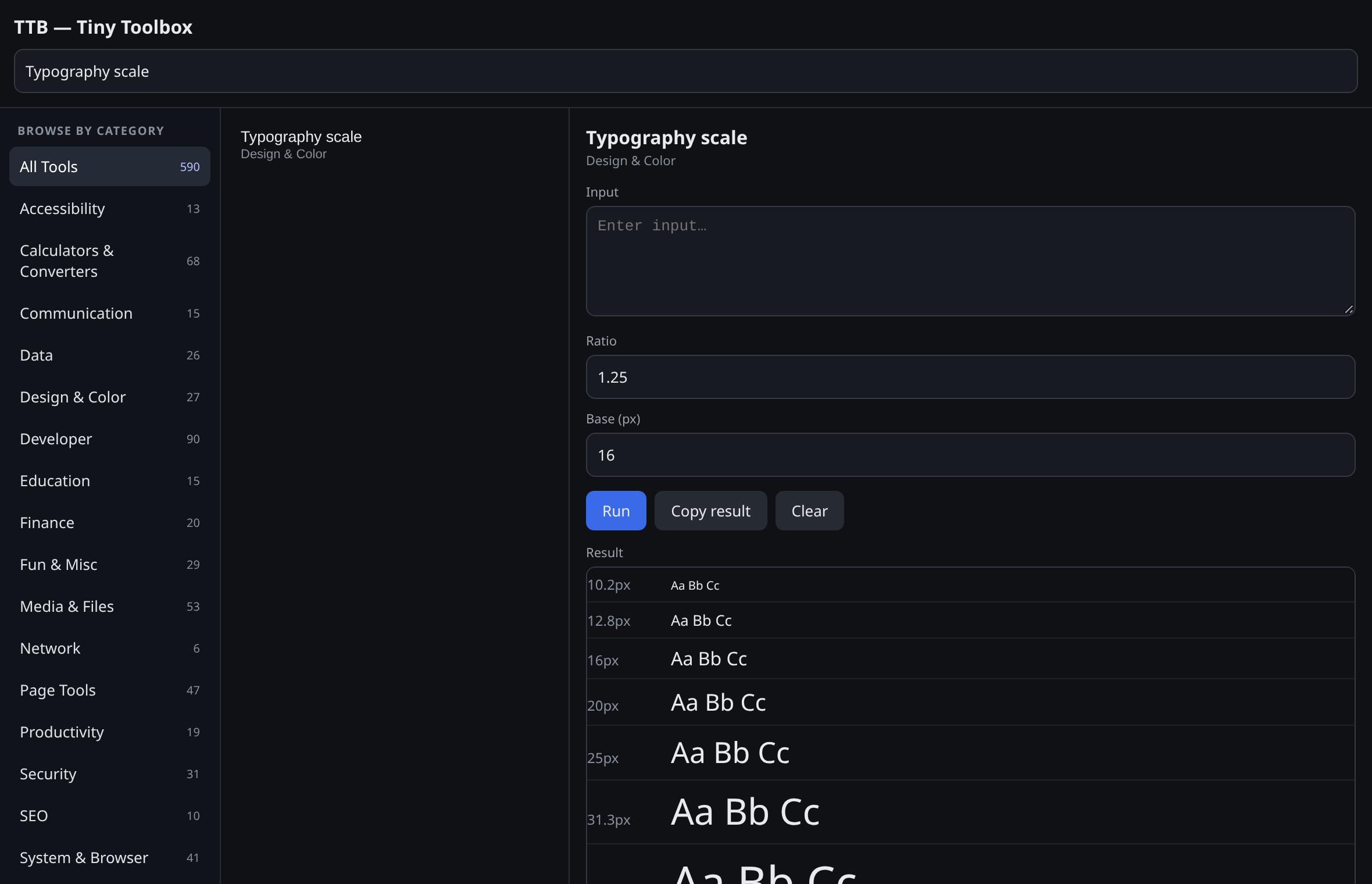
A typography scale rendered in the sandboxed HTML preview
Rich HTML output. A typography scale rendered in the sandboxed preview.
image output
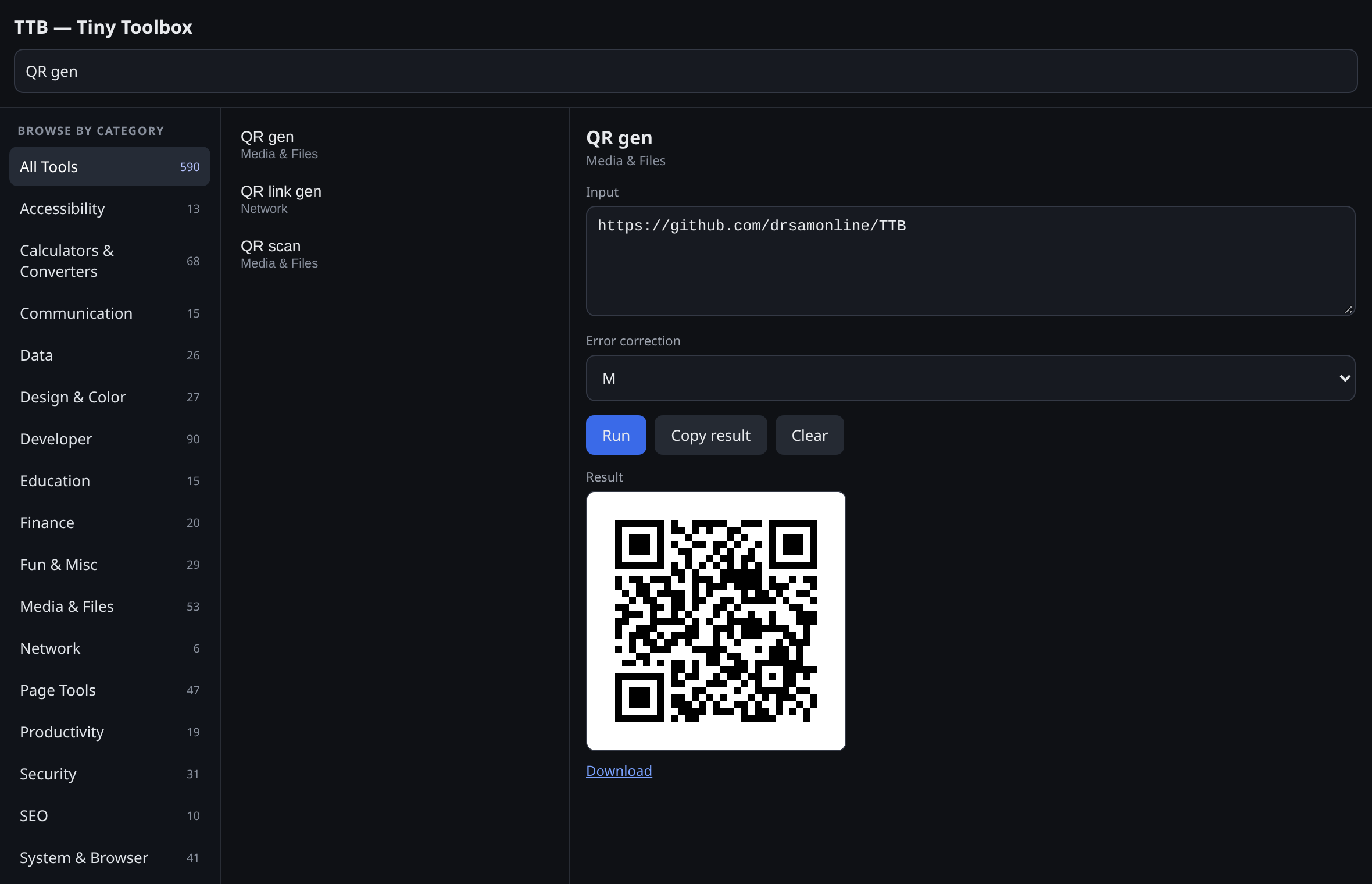
A QR code generated and shown inline with a download link
Images render inline with a download link — QR code generated offline.
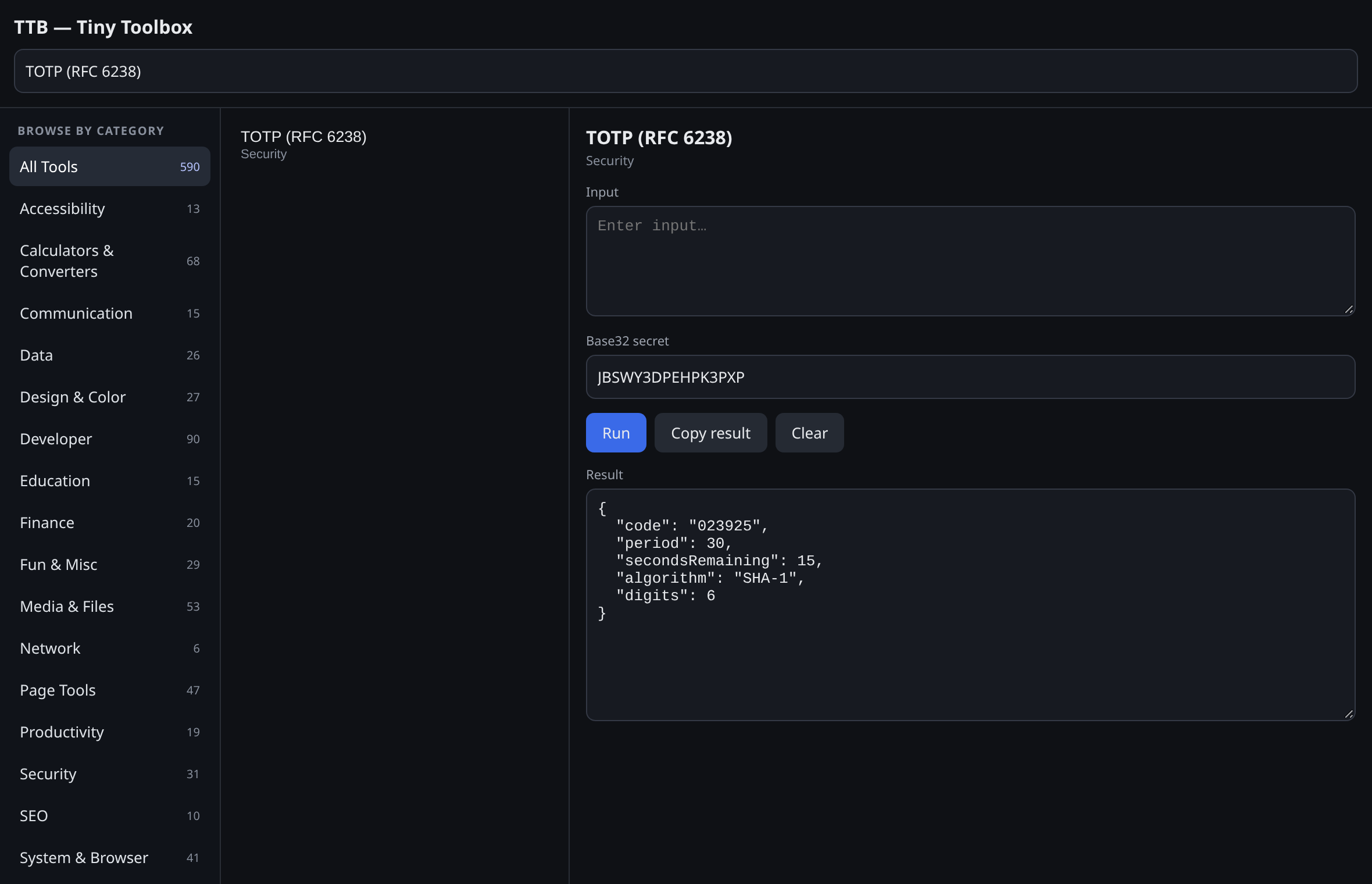
crypto
A TOTP code generated from a Base32 secret
Real crypto, offline. A TOTP code generated from a Base32 secret.
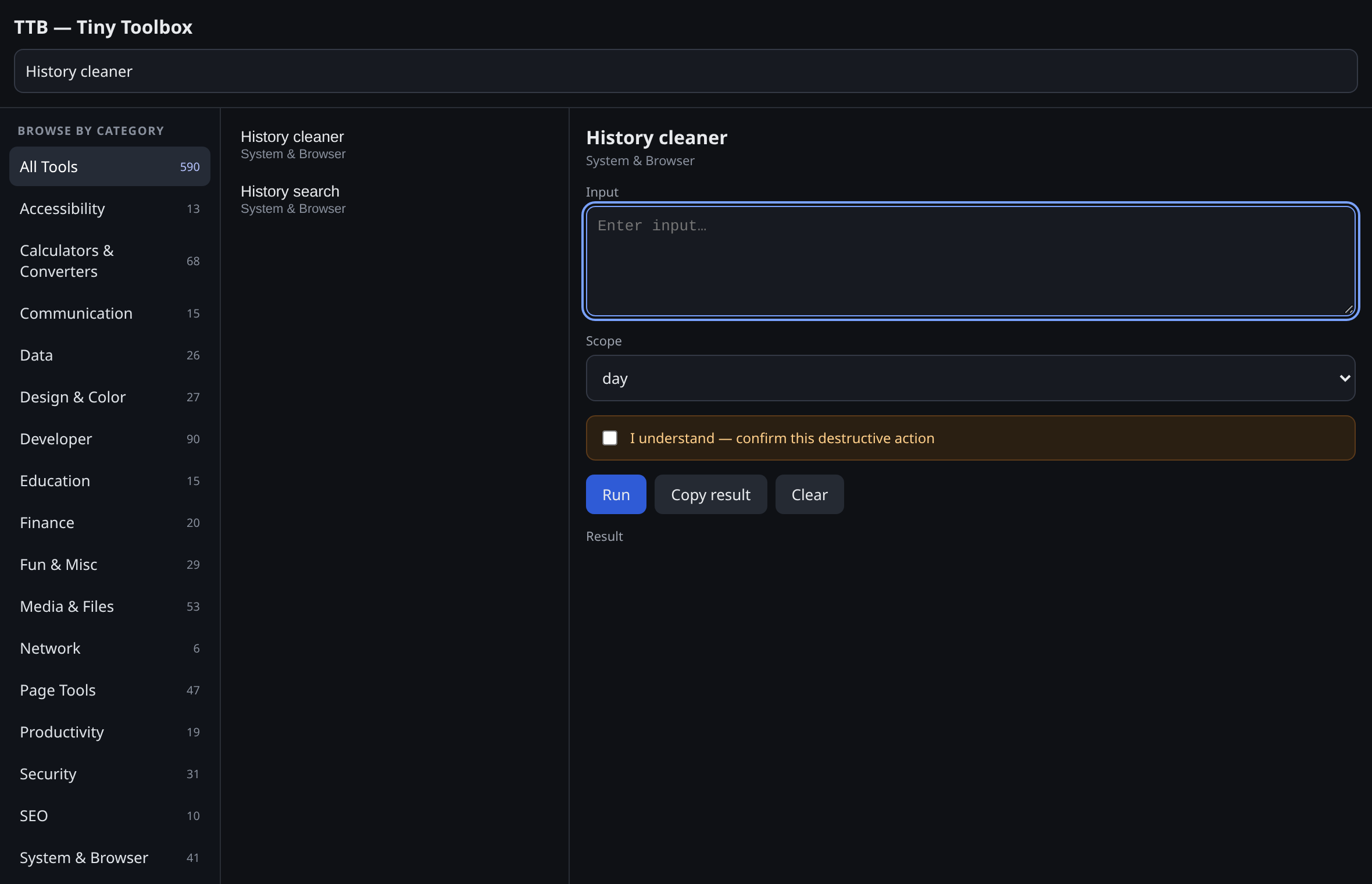
confirm
History cleaner showing the confirmation tick before acting
Destructive tools ask first. History cleaner showing the confirmation tick.
04

Get started

No build step is required to load the extension — the repository root is a working Chromium extension.

Chromium · Chrome / Edge / Brave / Opera / Vivaldi

Load unpacked in four steps

  1. Clone or download the repository.
  2. Open chrome://extensions (or edge://extensions) and enable Developer mode.
  3. Choose Load unpacked and select the folder containing manifest.json.
  4. Pin TTB, then click the icon or press Alt+Shift+T.
Firefox & Safari

Build per browser

# produce dist/chrome, edge, firefox, safari
npm run build

# Firefox: load dist/firefox/manifest.json
# via about:debugging#/runtime/this-firefox
npm run build:firefox

# Safari: convert the package with Xcode
npm run build:safari

Prebuilt ZIPs for every browser are attached to each successful CI run (Actions → Validate → Artifacts). Requirements: Chrome 127+, Edge 127+, Firefox 121+, Safari 16.4+.

05

FAQ

Straight answers, including the limitations.

Q Is TTB free and open source?
Yes. TTB is MIT licensed — free to use, read, modify and redistribute. See LICENSE.
Q Does it phone home or track me?
No. There is no network layer in the extension: nothing is fetched, phoned home, or loaded remotely. No analytics, no telemetry. Privileged tools use only the permissions declared in manifest.json, and each browser build requests only what that browser can grant.
Q Which browsers are supported?
Chrome 127+, Edge 127+, Firefox 121+ and Safari 16.4+. One source tree is assembled per browser by npm run build. Safari exposes no history, bookmarks, downloads, management, browsingData or fontSettings APIs, so those tools are disabled there and report that — and Safari also needs an Xcode conversion step.
Q Why do some tools say they need a dependency?
Optional third-party libraries are not bundled. 24 tools (PDF merge/split/rotate, PDF→text, OCR, Excel viewer, Prettier, OpenPGP, QR scanning helpers, axe-core, zxcvbn…) report their required local dependency and the exact path where it would live, instead of pretending to run. No remote code is ever fetched.
Q Are destructive tools safe to try?
They do nothing on the first run. History/cookie/cache cleaners, duplicate-tab closing and auto-close report exactly what they would change and ask you to tick “I understand — confirm this destructive action”. Only then does a second Run act.
Q Why do some page tools fail on certain tabs?
Tab, history, cookie, bookmark, download and page tools need the right context. They can fail on restricted pages such as chrome://, the Web Store, or other extensions' pages — which no browser allows scripting.
Q How do I contribute?
Read CONTRIBUTING.md. There's no framework — vanilla JavaScript and browser APIs. npm test runs the smoke test, npm run build assembles all four targets.