Private · Offline · Single HTML file

Ambient Sound Studio

Layer rain, thunder, fire, café murmur, ocean and more into your own soundscape — then export the mix as WAV or Opus. It runs entirely in your browser, works offline, and never sends a thing.

Open the studio View on GitHub Download for Windows (.exe) Download for Android (.apk)

Free & fully offline — nothing to install. The Android .apk is sideload-only (allow installs from unknown sources).

Zero dependencies Works offline No tracking Installable PWA Personal use licence 25 layers 36 presets 1 HTML file · 137 KB English · हिन्दी · ગુજરાતી
What's inside

Everything you need to build a soundscape

No install, no account, no cloud. Just open the page and start mixing.

25 synthesised layers

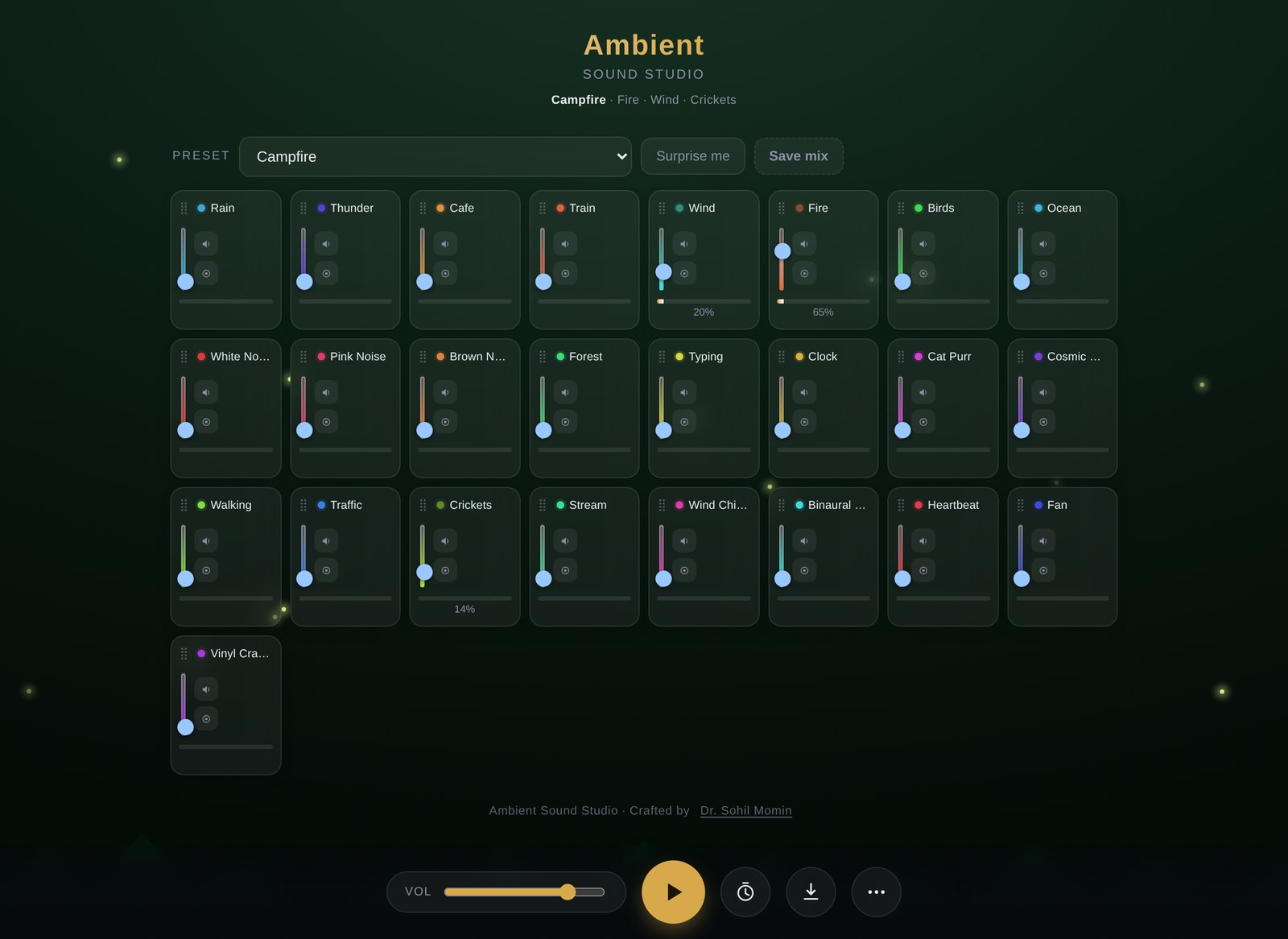
Rain, thunder, café, train, wind, fire, birds, ocean, noise colours, forest, typing, clock, cat purr, cosmic drone, crickets, stream, wind chimes, binaural beat, heartbeat, fan, vinyl crackle, microphone and more — every one generated in the browser.

36 curated presets

Sleep, Focus, Relax, Nature and Urban moods — from Monsoon Evening to Deep Focus. Each preset carries a matching mood theme, and “Surprise me” picks a random mix.

WAV & Opus export

Render up to 10 minutes as lossless WAV (16- or 24-bit) or compact Opus. Exports are peak-normalised and built from crossfaded tiles, so nothing loops audibly.

Offline & installable

One 137 KB HTML file with no audio files and no network calls. Open it with the network off and it still works; add it to your home screen as an app.

Private by design

No analytics, no telemetry, no accounts, no cloud. Your mixes, custom sounds and settings stay on your own device. The only optional request is the Opus encoder you choose to download.

Three languages

The whole interface — layer names, presets and messages — ships in English, हिन्दी and ગુજરાતી, switchable any time from the More menu.

How it works

From silence to soundscape in four steps

The first click starts audio — browsers require a gesture before sound can play.

1

Pick a preset

Tap a curated mood, or hit “Surprise me” for a random mix. The whole app recolours to match.

2

Build your mix

Raise individual layer faders, use mute and solo, and watch the live level meters. Drag to reorder.

3

Play & unwind

Press play and let it run. Add reverb, binaural beats or a breathing guide, and set a sleep timer or Pomodoro.

4

Export it

Render your mix to WAV or Opus, or copy a share link so anyone can open your exact soundscape.

Ambient Sound Studio desktop interface with 25 layer cards and live level meters
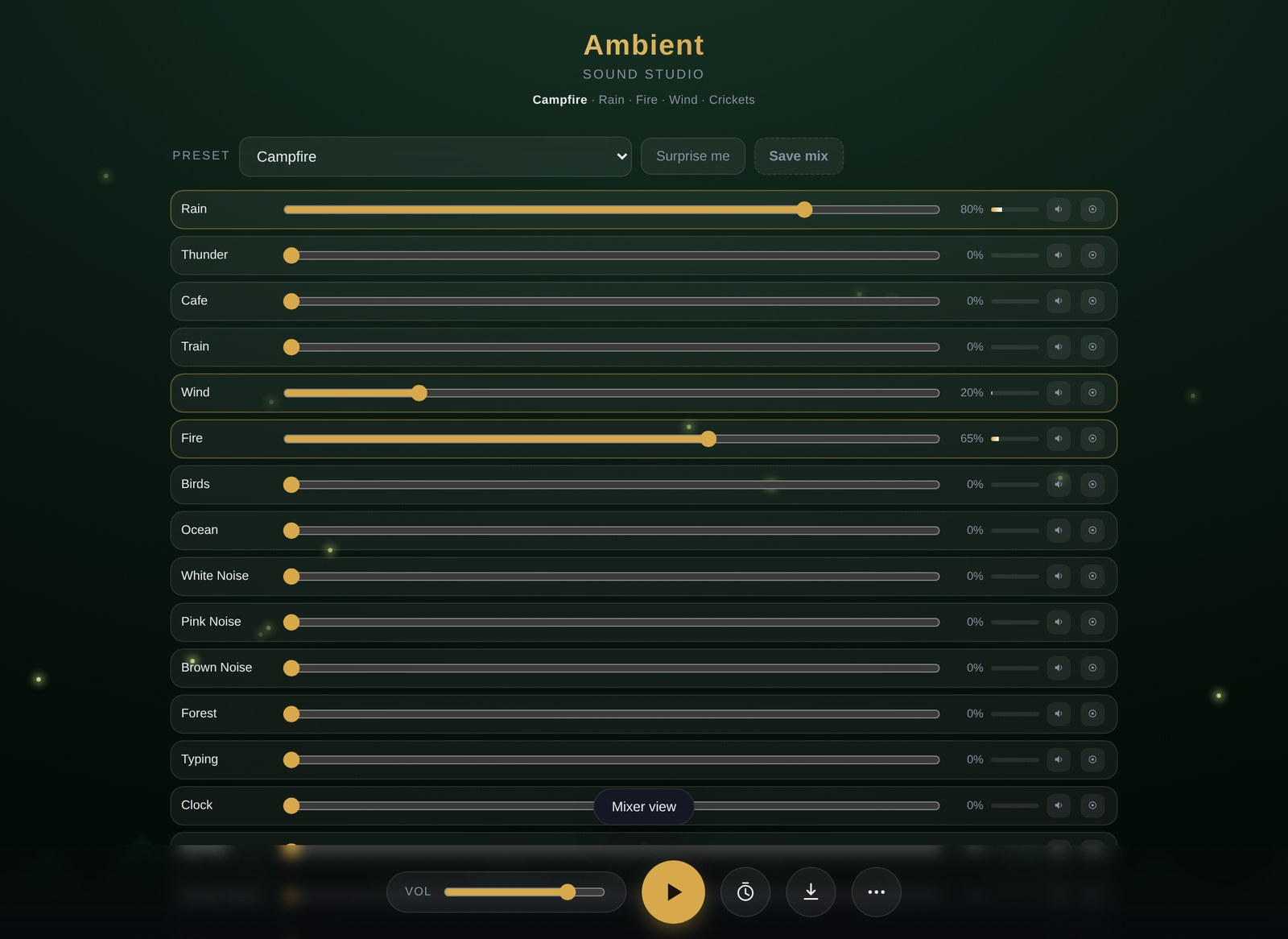
Mixer view with horizontal faders and meters
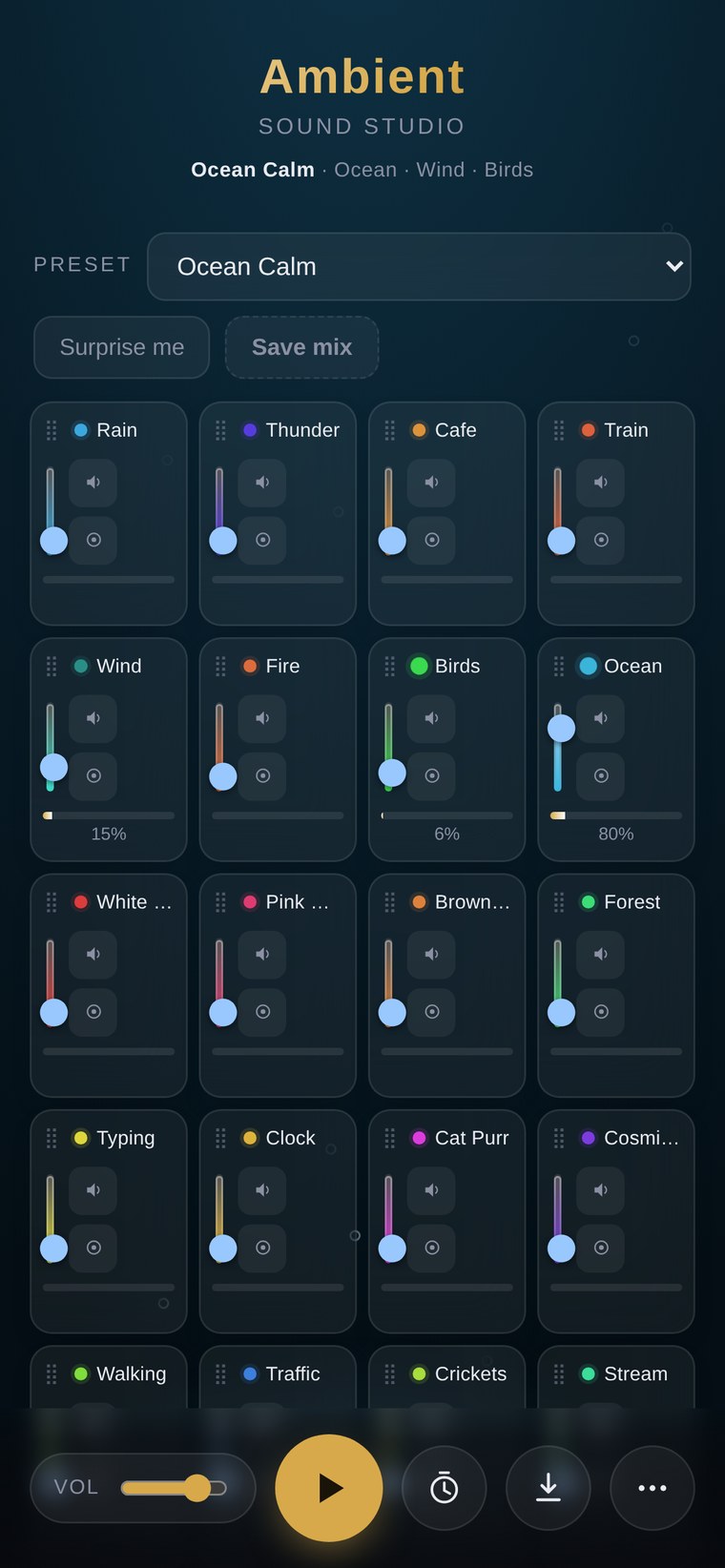
Ambient Sound Studio on a phone
See it live

Open the studio and press play

It's the whole app, hosted — nothing to install. On a phone you can add it to your home screen and it opens like a native app.

  • 25 layers, 36 presets, reverb, ducking and binaural beats
  • Card view and mixer view, with keyboard and screen-reader support
  • Add your own audio files as first-class layers
Get started

Use it online or run it from your disk

Open it in your browser

The fastest path — the app is hosted and ready. No install, no sign-up.

First click starts audio — press ▶ or tap a preset to begin.

Or clone and open the file

The whole app is one HTML file. Download it and open it — no build, no server, no network.

# clone the repository
git clone https://github.com/drsamonline/ambient-sound-studio.git
cd ambient-sound-studio
open index.html   # macOS
# xdg-open index.html  # Linux
# start index.html     # Windows
FAQ

Questions, answered

Do I need to install anything?

No. It is one HTML file. Download it and open it — or just use the hosted copy.

Does it need the internet?

No. Every built-in sound is generated in your browser. The only optional network request is the one-time Opus encoder download, which you are asked about first and which is cached on your device afterwards.

Where does my data go?

Nowhere. There are no analytics, no accounts and no servers. Your mixes, custom sounds and settings are stored on your own device.

Why does nothing happen until I press play?

Browsers block audio until you interact with the page. Press the ▶ button, or tap a preset, and it starts.

Can it ship with recorded samples?

Every built-in sound is synthesised — no audio files are bundled, which keeps the app one small offline file. You can add your own audio via More ⋯ → Add sound files, and each file becomes a real layer stored on your device.

How long can an export be, and in what format?

Up to 10 minutes, in WAV (16- or 24-bit) or Opus. WAV is instant; Opus has to be encoded, so it takes a little time even though it is many times faster than real time.

Can I install it as an app?

Yes. On iOS use Share → Add to Home Screen. On Chrome/Edge/Android, an Install app button appears in the More menu when the folder is hosted with the service worker alongside the page.

Does it work on a phone?

Yes — it is fully responsive and works well on mobile. Note that binaural beats need headphones to have any effect, and drag-to-reorder needs a mouse or trackpad.

Is it free to use?

Free for personal, non-commercial use. Commercial use requires permission and a licence from the author. Because commercial use is restricted, it is a source-available licence rather than an OSI-approved open-source one.

Something is wrong, or I have an idea.

Please open an issue on the repository — there are templates for bug reports and feature requests.