Release CI License Stars Last commit Issues

// Discipline engine · v3.1.0

Conqueror OS

A private, offline resilience workspace that lives in a single HTML file. Read, reflect, journal, track and review — no server, no account, no build step required to run it.

Free & fully offline — nothing to install. The Android .apk is sideload-only (allow installs from unknown sources).

0 dependencies 1 HTML file offline-first no account 30 smoke checks 6 themes

// What it does

A practice system, not just a reader

Six systems in one file. Everything works offline and stores to your own device — the app makes no network requests after it loads.

Reading system

A multi-book library with parts and chapters, and a reader built for study.

  • Inline highlights in amber / blue / green with notes
  • Bookmarks, favourite quotes, focus mode, read-aloud
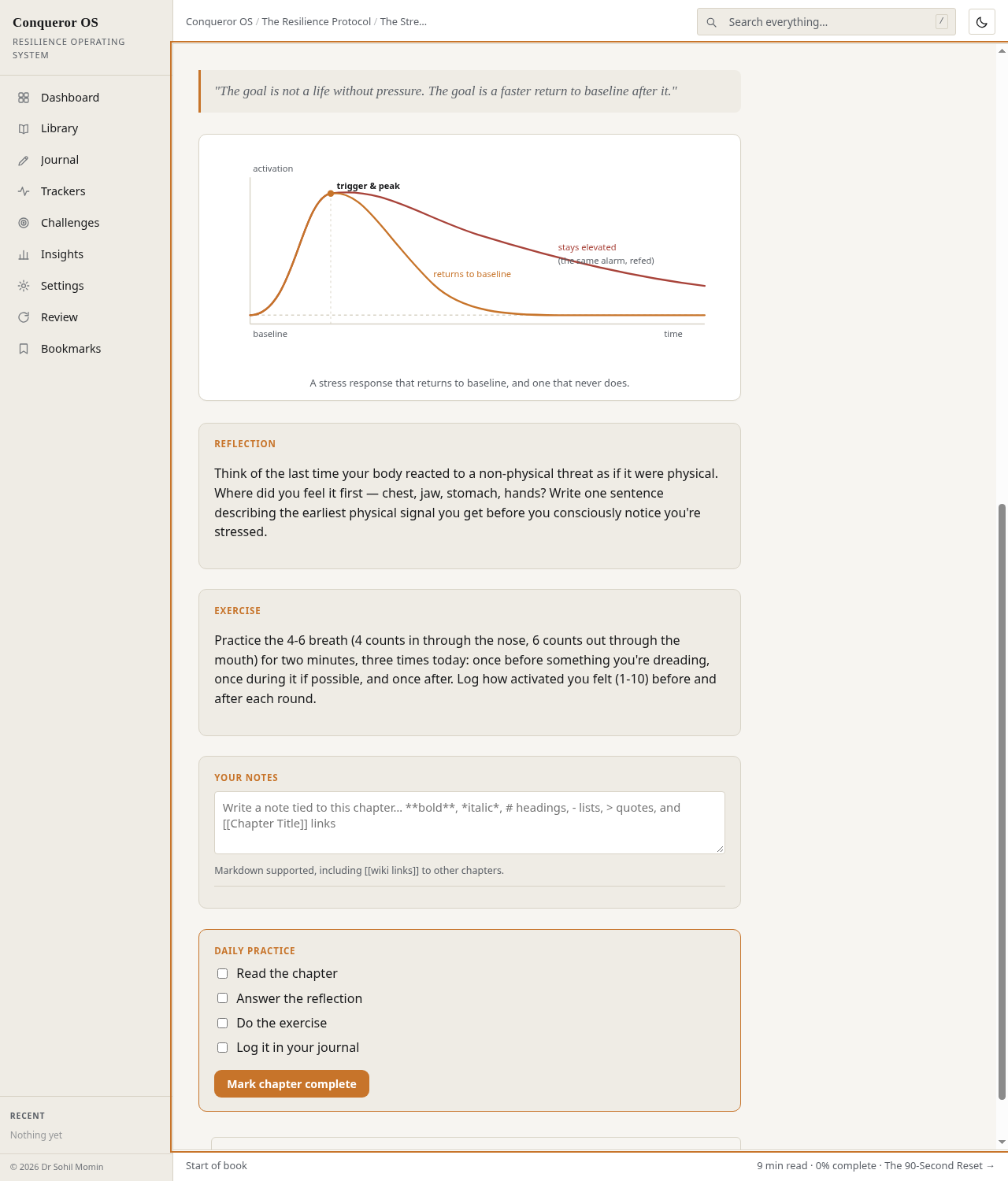
  • Inline SVG diagrams and dwell-time tracking

Journal & reflection

Six entry types with tags, filters, dictation and image attachments.

  • Draft autosave and edit-in-place
  • Rotating daily prompt and "on this day" resurfacing
  • Mood per entry, stored in IndexedDB for attachments

Trackers & analytics

Built-in and custom trackers with real local-only analytics.

  • Trend line + 7-day moving average, calendar heatmap
  • Pearson correlation between any two trackers
  • Printable and exportable reports

Challenges & review

Structured programs plus spaced repetition so lessons stick.

  • 7 / 21 / 30 / 45 / 90-day programs and custom challenges
  • Pause, resume, reminders, shareable progress card
  • SM-2-lite review over each chapter's key idea

Worksheets & knowledge

Fillable sheets with saved history, plus a graph of what connects to what.

  • Daily Check, Weekly Review, Setback Ledger
  • Knowledge graph of chapters, worksheets, challenges
  • Glossary auto-built from chapter tags

Data, safety & privacy

Your data stays on your device — and you can always get it out.

  • Undo on every destructive action; PIN app lock
  • Encrypted backup (AES-GCM + PBKDF2), JSON/MD/Word/CSV export
  • Import with merge-or-replace; CSP blocks all outbound calls

// How it works

Forge the habit in four moves

No install, no sign-up. Open the file and the whole workspace is there.

01

Open or download

Run it online, or download the single file and open it directly in a browser tab.

02

Read & reflect

Work through the library, highlight, take notes and journal each session.

03

Track & challenge

Log trackers, run a 7/21/30-day challenge and keep the streak alive.

04

Review & back up

Clear the spaced-repetition queue and export an encrypted backup.

// Demo

See it running

The full application is served straight from this repository. Nothing to install — the demo is the product.
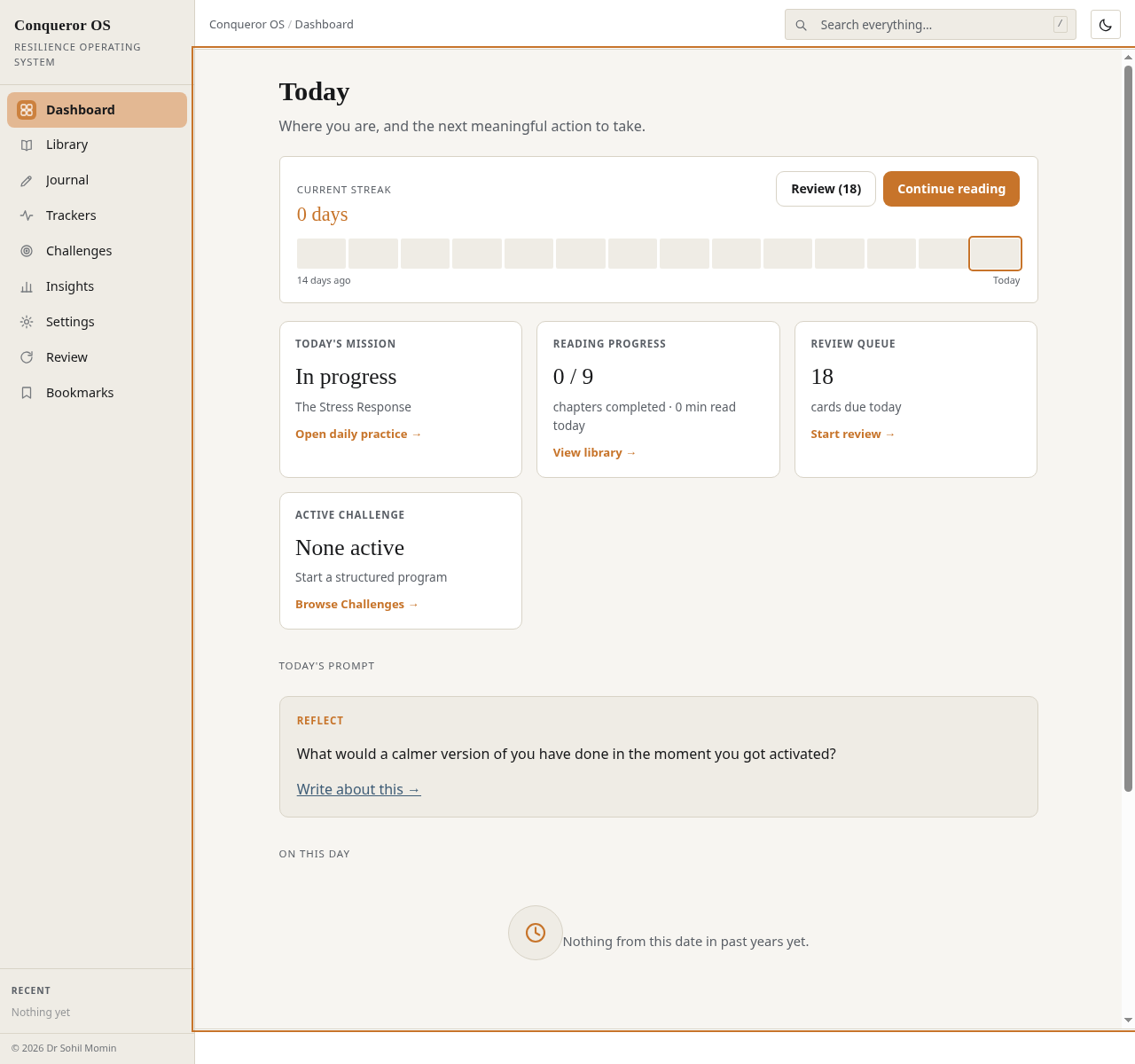
Conqueror OS Today dashboard with streak ribbon and widgets
TodayStreak ribbon, resume banner, review queue and active challenges.
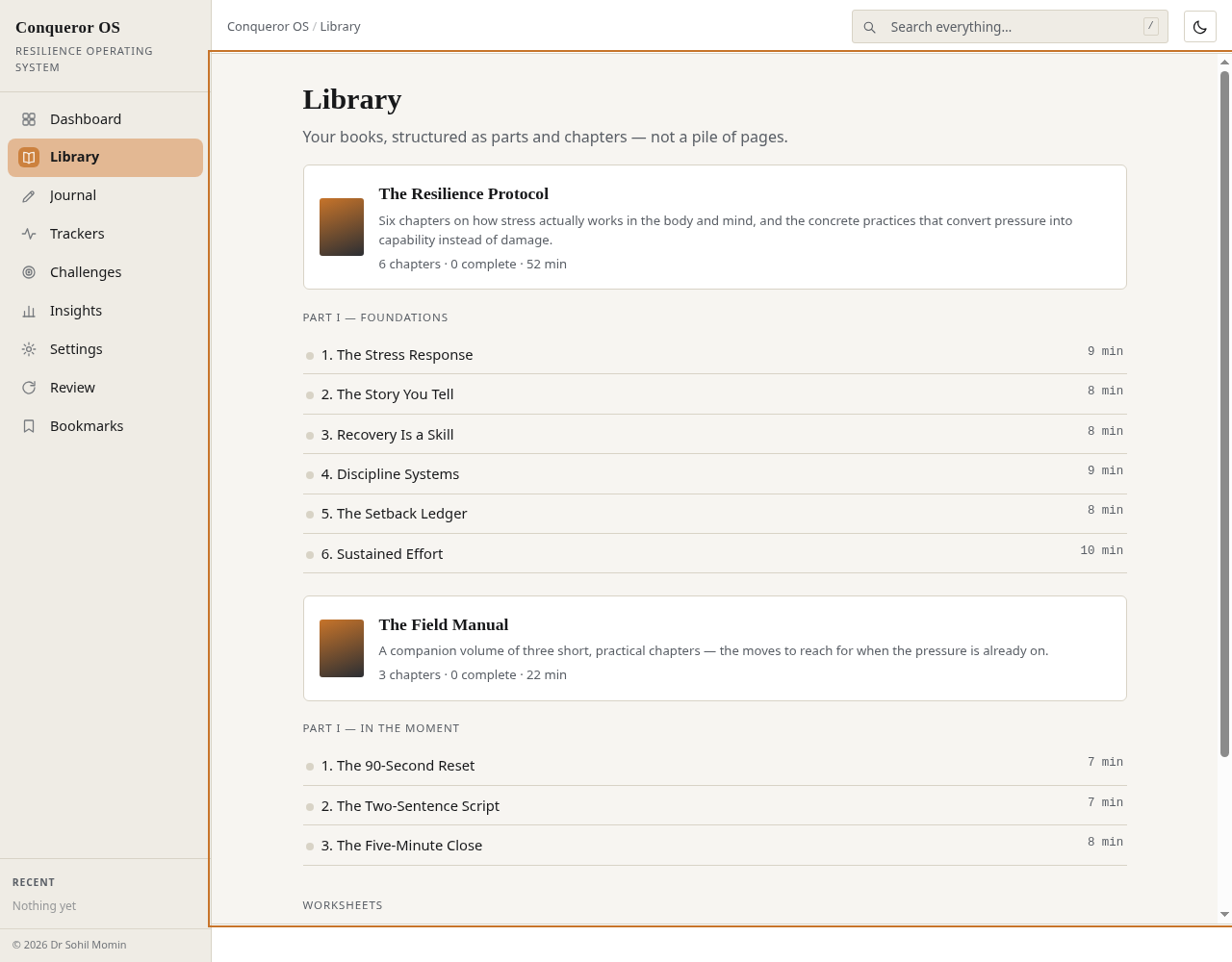
Conqueror OS multi-book library with parts and chapters
LibraryMulti-book library with parts, chapters and progress pips.
Conqueror OS reader with highlights, notes and related chapters
ReaderHighlights, notes, focus mode and related chapters.
Launch the live demo drsamonline.github.io/conqueror-os/play/

// Get started

Start in seconds

Use it online, keep the file for yourself, or build it from source.

Use it now — nothing to install

Open the live demo and start working. Your data is saved in your browser on your device.

Open the app

Keep the file

Download the built single-file app and open it straight from disk — works from a USB stick, email or intranet share.

Download the HTML file
Build from source (Node 18+)
# clone
git clone https://github.com/drsamonline/conqueror-os.git
cd conqueror-os

# serve locally (optional)
npm run serve        # http://localhost:8080

# build the minified single file -> dist/conqueror-os.html
npm install && npm run build

# run the smoke suite (30 checks)
npm test

// FAQ

Questions, answered

Does it need a server or an account? +
No. Conqueror OS is a single self-contained HTML document with no backend and no accounts. Open it and it runs; your data is stored locally in your browser.
Does it send my data anywhere? +
No. After the page loads there are no network requests at all — enforced with a Content-Security-Policy that sets connect-src 'none'. There is no analytics, telemetry or tracking.
Can I use it offline? +
Yes — that is the point. It works from file://, a USB stick, a static host or an intranet share. An optional service worker for installable use when served over HTTP is on the roadmap.
Where is my data stored? +
In your browser's localStorage on your device only, with IndexedDB used for image attachments. Storage is bounded by the browser's quota (roughly 5 MB); the app shows a usage meter and warns as it fills.
Is it free? +
The software (HTML, CSS, JavaScript) is MIT-licensed — free to use, modify and redistribute. The written content (books, exercises, prompts and interface copy) is an original work, © all rights reserved. See the repo's content licence.
Which browsers are supported? +
Modern evergreen browsers from around 2019 onward: Chrome 73+, Edge 79+, Firefox 62+ and Safari 12+. It uses ES2019 features and needs no transpilation.
Is it a medical or therapy tool? +
No. Conqueror OS is a self-help and reflection tool. It is not a medical device and does not provide medical or psychological diagnosis or treatment. If you are struggling with your mental health, please speak to a qualified professional.