Today
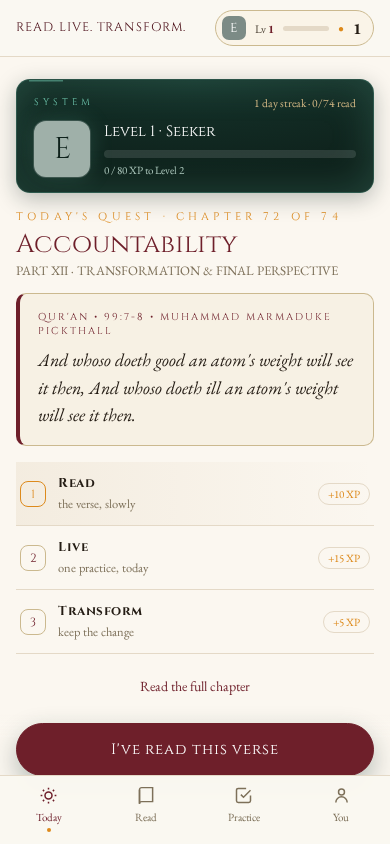
One chapter a day, chosen by the date. The verse is shown, then the day's quest — Read, Live, Transform — with a single button that moves you to the next step, so there is never a wall of choices.
The companion app to the book
Read the verse. Live the practice. Keep the change.
All seventy-four chapters of Dr Sohil Momin's book, carried inside one self-contained HTML file. One chapter is served each day, so the book unfolds over seventy-four days — each day a small three-step quest of Read, Live and Transform. Works offline, stores nothing on any server.
Free & fully offline — nothing to install. The Android .apk is sideload-only (allow installs from unknown sources).





 Offline-first
No account
No server
Offline-first
No account
No server
What it does
Every part of the book's own method, turned into something you do rather than only read.
One chapter a day, chosen by the date. The verse is shown, then the day's quest — Read, Live, Transform — with a single button that moves you to the next step, so there is never a wall of choices.
The whole book: the front matter, the twelve parts and all seventy-four chapters — each with its verse card, explanation, practice, questions and takeaway. Write your answers and they save as you type.
The book's seven-day practice as a checklist, plus My moves — every practice you keep from a chapter, with a daily tap and a count of the days you kept it.
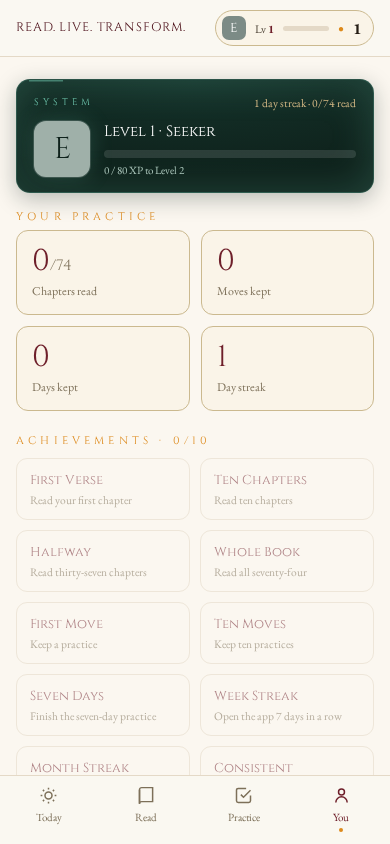
Your level and rank, your stats, and ten achievements from First Verse to Whole Book — plus the book's back matter, an export of your practice, and a reset.
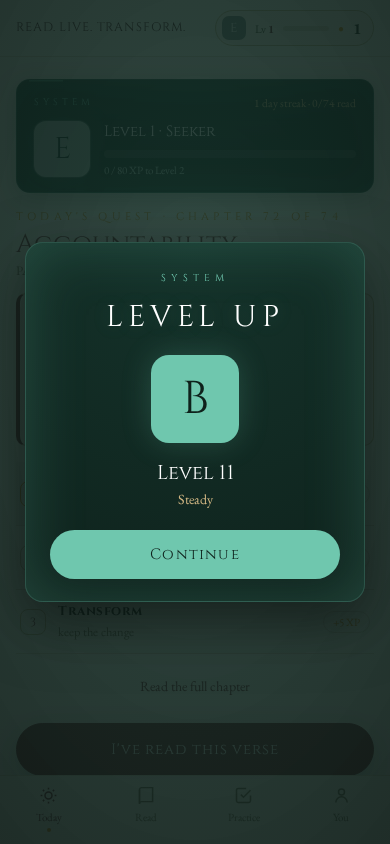
Ranks run E → D → C → B → A → S, each with a title, an XP bar and a day streak. Crossing a threshold opens a level-up panel with your new rank.
One file of about 292 KB with no frameworks, no dependencies and no build step. It installs as a PWA and works with no internet — no account, no analytics, no server.
How it works
One chapter is served each day by the date, so the book unfolds over seventy-four days. Each day is a quest of three steps — and every step you complete earns XP towards a level and a rank.
The day's verse is shown slowly, in the Pickthall translation, with its reference and a careful reading note.
One practice, today — taken from the chapter and kept as a move you can tap off day by day.
Keep the change. Completing all three steps completes the quest and moves you forward.
| Action | XP |
|---|---|
| Read a chapter | +10 |
| Keep a practice | +15 |
| Mark a practice done (per day) | +5 |
| Each day of the seven-day practice | +10 |
| Finish the seven-day practice | +60 |
| Complete a day's quest | +25 |
| Rank | Level | Title |
|---|---|---|
| E | 1–3 | Seeker |
| D | 4–6 | Student |
| C | 7–9 | Practitioner |
| B | 10–12 | Steady |
| A | 13–15 | Devoted |
| S | 16+ | Transformed |
Screens
Three views from the app as it runs — the daily quest, the moment a rank is crossed, and your own progress.
Prefer to try it directly? Open the live app — it runs entirely in your browser, offline.
Get started
There is no bundler, no package manager and no dependencies. Open the file and it runs.
Open the published copy on your phone or desktop, or run the file locally from the repository root:
# from the repository root
python3 -m http.server 8080
# then open http://localhost:8080
A PWA installs to the home screen when it is served over http://localhost or https://. Once installed it opens full-screen and works with no internet.
A modern browser from 2021 onward — Chrome, Edge, Safari or Firefox. No account, no internet connection, no install required. The whole app is a single self-contained file, about 292 KB, with its fonts embedded and subset.
Questions
No. There is no account and no sign-in, and the app makes no network requests at all. It works fully offline once you have it.
Entirely on your own device, in your browser's local storage under the key rlt.v2 — your reading progress, kept practices, notes, streak, XP and achievements. Nothing is transmitted anywhere. You → Reset my data clears it all.
The verses are from the English translation of Muhammad Marmaduke Pickthall, The Meaning of the Glorious Koran (1930), which is in the public domain. Every verse and reference in the app was checked against the authentic Pickthall text.
All of it — the front matter, the twelve parts and all seventy-four chapters, with each chapter's verse, explanation, practice, questions and takeaway, plus the book's back matter and glossary.
This is a copyright work — © 2026 Dr Sohil Momin, all rights reserved. The source is published so the app can be read, reviewed and used personally; it is not open source, and it may not be copied, modified, redistributed, hosted or reused without the author's prior written permission. To ask, write to sohilmomin2000@gmail.com.
Plain JavaScript, HTML and CSS in one file. No frameworks, no bundler, no transpiler, no package manager and no dependencies. Offline caching is handled by a small service worker, and the fonts are embedded as subsets.